Compatibility
Minecraft: Java Edition
Platforms
Supported environments


Links
Tags
Creators
Details
Licensed MIT
Published last year
Updated 14 hours ago
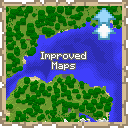
Improved Maps 
This mod is only for Fabric Servers(or Single-Player) and requires Fabric API. Works with Vanilla clients thanks to Polymer!
Server-side Features
- Atlas - A combination between a bundle and a map.
- Fill it with empty maps and it will automatically create new maps as you explore off the edge of your current map.
- Automatically switch to the relevant map when returning to previous areas.
- Make a copy of the entire Atlas. Great for map walls!
- Fits up to 512 filled maps(configurable), and any number of empty maps
- Map Information Tooltips - See the map scale and center coordinates right from the tooltip
- Biome Map Colours - Records which biome each map pixel came from, so maps tint grass, leaves
and water per biome instead of drawing every biome the same flat green
- Only players with the mod installed see the difference - a vanilla client see vanilla maps/atlases
(Optional) Client-side Features
- Minimap - Your last selected Atlas can be displayed as a minimap if you install the mod client-side.
- Atlas View - Press
M(rebindable in Controls) to see every map in your Atlas stitched into one big map. Opens centred on you; scroll to zoom and drag to pan. - Biome Map Colours - Draws the tint biome tint for grass, leaves and water on maps and atlases
- Proper display of Atlas' fullness bar
How to use Atlases
- Craft one by combining a filled map and a book in a crafting bench
- An Atlas is specific to a dimension
- All maps in an Atlas must have the same scale
- Atlases behave like bundles, but can only take filled and empty maps
- Copy an Atlas by combining an Atlas and a book, either in a crafting bench or a cartography table
- You must have enough empty maps in the Atlas to copy it, otherwise it won't craft
- You'll get 2 identical Atlases, each containing half the remaining empty maps
- You can take maps out like you would take items out of a bundle. To take out the empty maps you can either place the Atlas in a cartography table, or take out all the filled maps then right-click the empty Atlas in your inventory
(Optional) Custom Icons
- Installing the mod client-side will show custom icons for the Atlas item and fix some UI issues
- Icons can also be used by providing the Polymer resource pack to your vanilla clients
- Find out how to setup Polymer AutoHost here: https://polymer.pb4.eu/latest/user/resource-pack-hosting/
- Run
/polymer generate-packafter installing the mod to generate the resource pack
Known Issues
- Bundle tooltip on Atlas will show full once it hits 64 maps. You can still keep adding maps
- Installing the mod client-side will fix this
Shout-outs
- Pillowsledder for creating the excellent icons!
- Map Atlases by Pepperoni-Jabroni for the original idea and map switching logic.
- Diversity: Better Bundle by FaeWulf for implementation of larger bundle sizes